Virtual Reality
We loved it so much that I bought a VR headset for our PlayStation 4, and the kids enjoyed skydiving, soaring like an eagle and swinging around Manhattan as Spiderman. But while it could be fun, it was severely limited by several factors: the scarcity of child-friendly content, the weight of the headset and the lack of 360-degree immersion, because of all the wires. As for educational content, there was virtually none.
Then the Oculus Quest – now Meta Quest – came along and everything changed. We started with the original Quest, a self-contained headset that was reasonably lightweight, used no wires and had countless apps suitable for children and education. It did everything I wanted it to, and we only moved onto the Meta Quest 2 because newer apps were being released that no longer supported the Quest 1. When the Quest 3 was released, with its incredible mixed reality capabilities, I thought about upgrading again, but couldn’t justify paying close to £500, as we still loved our Quest 2. But earlier this year, the Meta Quest 3S came out, costing £229.99 and bringing all the benefits of mixed reality that could take our VR experiences to the next level.
Here are five reasons you might want to bring a Quest VR set to your home too.
There are some amazing educational benefits
Our children’s primary school has been using Meta Quests for a couple of years now to allow students in year six to explore Anne Frank’s house. The app (Anne Frank House VR) is free on the Meta Horizon Store and allows users to wander the rooms and interact with objects while hearing quotes from the famous diary. It’s an emotional experience – and could be overwhelming for some pupils – but provides an invaluable history lesson.
Science is another topic where the Quest really helps children – and adults – understand our world and beyond. The sheer number of science apps available on the Meta Horizon Store is staggering, and VR can really help understand abstract concepts like chemical structure or how the body functions. Students can take an immersive 3D journey inside a molecule or through a respiratory system and actually see how nature and physics work. For high-quality lessons, you can’t beat Futuclass Education, which uses gamified STEM modules focused on chemistry and physics to actively build atoms, conduct experiments and get instant feedback. Co-developed with award-winning science teachers, Futuclass is used in classrooms and homes, and includes lesson-plans and teacher portals to track progress. While Futuclass is a subscription-based app, there is a free trial version too.
We’ve travelled the world
There are a bewildering number of apps that let you discover the world, and beyond, without ever leaving the comfort of your armchair in the Quest Store. Our kids love Brink Travel, which transports them to many of the world’s most iconic destinations and lets them walk around, interacting with the environment. They particularly enjoy going back to places they’ve been to in real life and learning more about the region using the virtual guide. It’s relaxing, educational and meticulously detailed.
13-year-old Harrison loves aviation and flying our drone or his RC plane, so he really enjoys Fly: A Google Earth Flight Simulator, which allows him to pilot a drone anywhere on earth, thanks to Google Earth’s comprehensive coverage of our planet. The visuals are stunning for such a small standalone headset, and while the controls aren’t as realistic as an aircraft simulator, they’re extremely intuitive and perfect for budding explorers looking to satisfy their wanderlust.
We use it for creativity
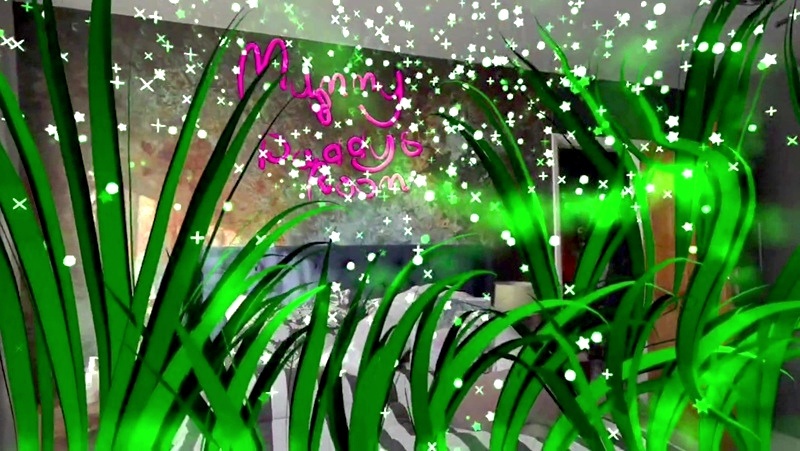
Every generation of the Meta Quest has been great for arty types – like our daughter – but our Quest 3S, with its advanced mixed reality capabilities, has upped the game even further. Pencil – Learn to Draw stands out as one of the best mixed reality apps, as it overlays guided lessons onto physical paper, teaching techniques from cartoons to anatomy via a companion character, Leo.
We built our own retro arcade
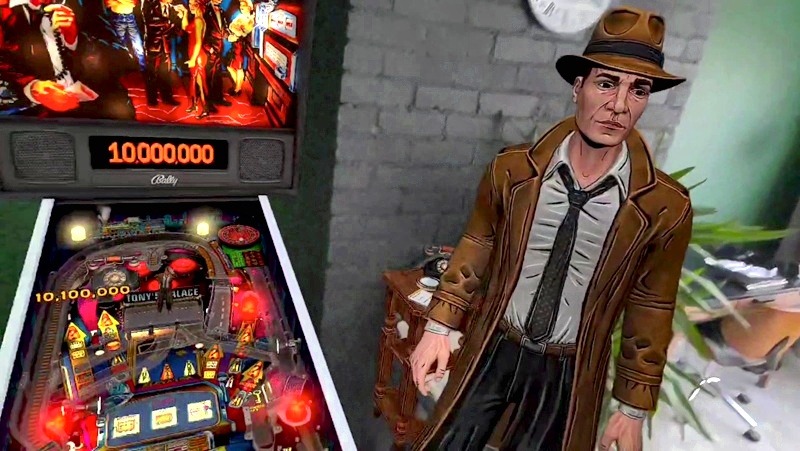
As a child of the 1980s, I’ve always dreamed of having a corner of my home dedicated to 80s arcade machines for myself and the kids to enjoy together. My wife, naturally, has other ideas. But thanks to a couple of Meta Quest apps called Arcade Ranger and Pinball FX VR, we’ve got an entire arcade in Harrison’s bedroom. Obviously, playing 80s arcade games on Meta Quest controllers doesn’t feel particularly authentic, but we solved that problem with the Arcade 2TV-XR from X-Arcade. 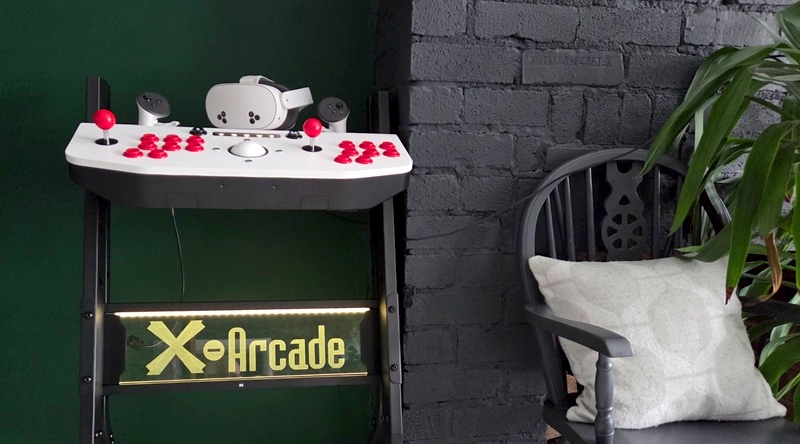
Speaking of games
While educational and creative uses abound in VR, the kids are going to want to play some games on it too. The great news is that there are tons of free games and trials on the Meta Quest. We really enjoyed First Encounters, which comes packaged free with the Quest 3S and uses mixed reality to see cute aliens breaking into your room, while you have to catch them and match the colours to get higher scores. It’s wonderful, child-friendly fun and a great showcase for what mixed reality can do.
Games that do cost money in the Meta Horizon Store are often far cheaper than on the Xbox or PlayStation, and especially on the Nintendo Switch 2. For instance, the newly released Star Wars: Beyond Victory is a pod racing game that allows you to turn part of your room into an arena to race pods around. It’s fantastic fun and only costs £15.99 compared to £75 for Mario Kart World on the Nintendo Switch 2.
The Quest 3S comes with a three-month subscription trial to Meta Horizon Plus, which gives access to over 40 top titles and has a rolling selection of games that you can download and own, so you won’t be short on games to enjoy in those first few months after Christmas. Away from the Horizon Plus selection, there are countless other titles, many of which have free trials. Be warned, once you try the trial version of Beat Saber you’re going to end up buying it. It’s still the quintessential VR title, blending music, rhythm and light sabres, and a guaranteed hit for the whole family.
One last thing to note is that you’re not just limited to VR and MR games in the Meta Horizon Store either. The Meta Quest 2,3, and 3S are all capable of running Xbox Cloud Gaming, which effectively brings the entire Xbox Cloud Gaming catalogue to your Quest, allowing you to play them on a massive screen if you have an Xbox Game Pass. So, if you’re still deciding whether to get them an Xbox or Quest for Christmas, just remember that – in many ways – the Quest can work as both.
Staying safe
The Meta Quest 3 and 3S are designed to be used by children aged 10+ and have excellent in-built safety features, such as:
- Guardian System: Use the virtual boundary to create a safe, obstacle-free play area. This boundary appears if the child gets too close to the edge.
- Space Sense: This optional feature provides outlines of people, pets, or large objects entering the play area, enhancing physical awareness.
- Parental Controls: Set up a parent-managed account to control app access based on IARC content ratings, manage screen time limits, and approve purchases.
- Casting: Stream the child’s perspective to a phone or TV to monitor their experience and ensure they stay safe.
But you should always:
- supervise children during use and ensure they take frequent breaks to avoid discomfort.
- Ensure the headset fits properly for clear vision.
- Instruct them to stop immediately if they feel dizzy or unwell.