Xiaomi Pad 8 Pro: Premium Performance, Practical Price
Like most families, our household has more than its fair share of tablet computers. We’ve always gone for Android products – likewise with phones, as you get so much more for your money. But, unlike with our phones, we’ve generally opted for budget tablets, like the Samsung A range for the adults and Kindle Fire for the kids.
Last year, we switched to a different budget option and tried the Xiaomi Redmi Pad 2 for our daughter and found that the amount we got for our money was incredible. It opened our eyes to the Xiaomi brand, and I’ve wanted to test their premium products ever since.
So, after reading all the rave reviews about last year’s Xiaomi Pad 7 and Pad 7 Pro, which were universally reviewed as some of the best quality tablets on the market, I jumped at the chance to review the Xiaomi Pad 8 Pro.
First Impressions: Slim, Stylish and Refined
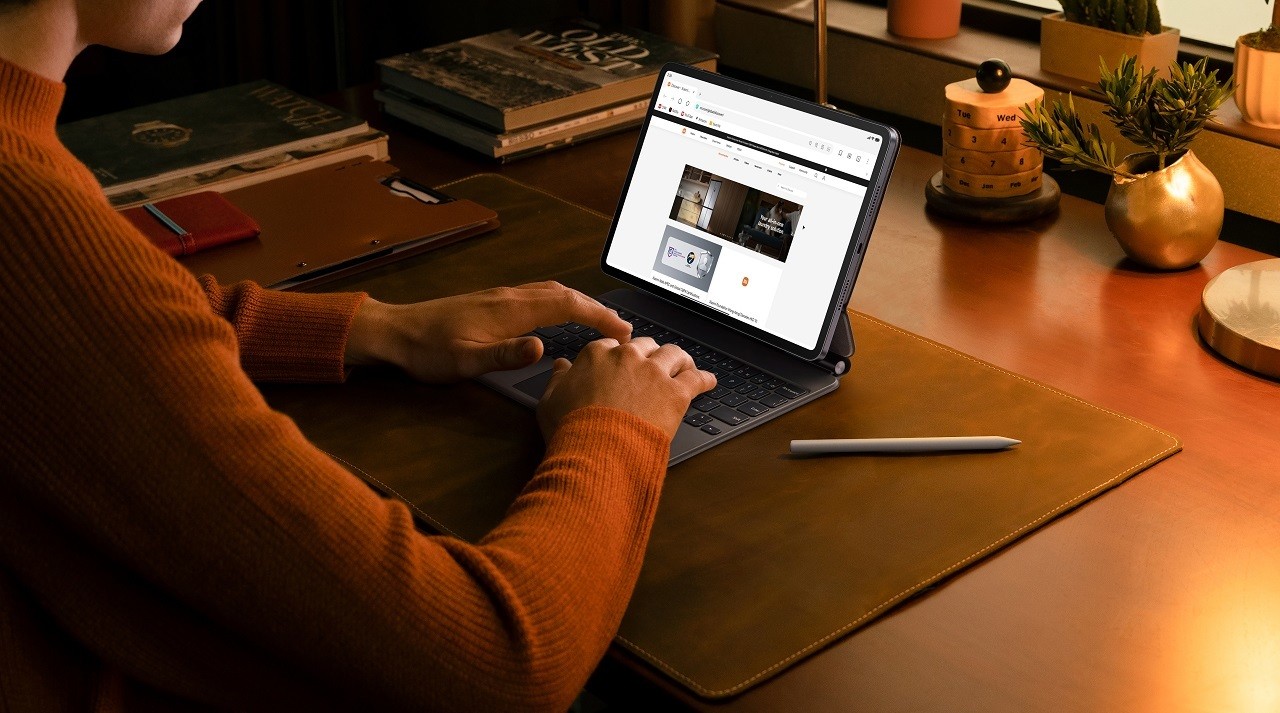
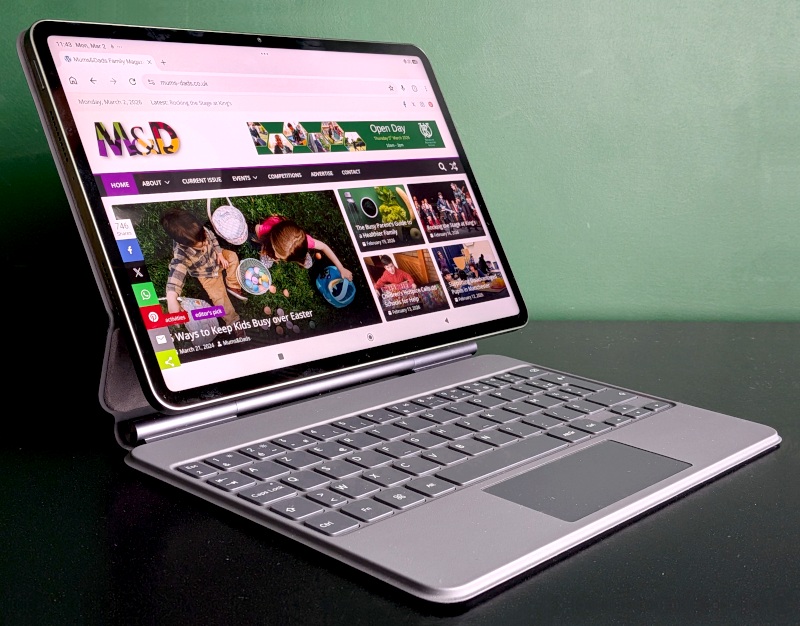
The short answer is that the Xiaomi Pad 8 Pro looks great. It’s exceptionally slim for an Android tablet, measuring just 5.75mm in thickness, with a matte finish that gives a modern and understated premium look. Our review unit came in pine green, but it also comes in grey or blue. It’s reasonably lightweight, at 485g, which is about 40g more than the latest iPad Pro, and has pretty much the same screen-to-body ratio as the iPad Pro, with more than 85% of the front being screen rather than bezel. On the rear of the tablet are three pogo pins for connecting to a keyboard, and there’s a magnetic zone on the side for connecting the stylus. The fingerprint sensor is built into the power button, and everything feels clean and refined, including the elegant lenses on the rear.
Display and Sound: Big Screen Brilliance
It’s fair to say that a standout feature of the Xiaomi Pad 8 Pro is its display. The large, 3.4K resolution screen delivers beautiful, vivid visuals that bring content to life and boasts a whopping 445 pixels per square inch – compared to the iPad Air 11’s 229ppi.
I don’t need much of an excuse to watch a good movie or Netflix series, but watching Stranger Things on the Pad 8 Pro was outstanding, with a clarity and vibrancy to the screen that made every experience richer. Colours popped without feeling oversaturated, and the brightness levels ensured excellent visibility even in bright daylight. Sadly, it’s still winter as I write this, but with 800 nits of peak brightness, I’d be confident about watching a film in the garden on a sunny day on the Pad 8 Pro. The sound system on the tablet is impressive too, with quad speakers that provide good sound quality during movies and gaming, with decent bass for a tablet device. That said, when I really want to immerse myself in a movie on a tablet, I tend to put on my headphones for the best experience.
For mums and dads who love to read, you’re always better off with a dedicated paper e-reader like a Kindle Scribe or Paperwhite, but those devices sacrifice multi-functionality, as well as leaving you stuck on Amazon’s ecosystem. So, if you’re content to read on a regular tablet, then you’ll be very happy with the Xiaomi Pad 8 Pro’s display. I read for an hour each night on the test unit, and it was very easy on my eyes, with no harsh glare and low blue light. No surprise to learn that it has several certifications from TÜV Rheinland for its eye-friendly performance.
Performance: Power Without the Price Tag
I’m not going to pretend that I’m an expert on chips or performance, so I’ll defer to a tech website for quotes on what’s going on under the hood.
“The Snapdragon 8 Elite SoC makes the Pad 8 Pro one of the fastest mid-range Android tablets currently available. In the Geekbench benchmarks, the Xiaomi tablet achieves very good scores, easily beating a Galaxy Tab S11″, say Notebookcheck.com
That sounds good enough to me, and it’s safe to say that our review model was by far the most responsive tablet that we’ve ever owned and easily on par with our flagship model phones for responsiveness, multi-tasking and gaming. I should probably note at this stage that the Pad 8 Pro comes in three specs: two of which have 8gb of RAM (and either 128gb or 256gb of storage), and one with 12gb of RAM and 512gb of storage.
The most demanding tasks that tablets tend to get thrown at them are gaming and video editing, as these require more horsepower than watching movies or browsing. My son was able to play all his Xbox Cloud games on the 8gb RAM model we tested without any grumbling about lag or performance, while my daughter tested Roblox on it using the highest – and most demanding – graphics settings. Again, this ran smoothly and looked great, too, thanks to the high refresh rate of the screen. We don’t use the most demanding of games for tablets, but Notebookcheck.com do point out that “even the demanding Geshin Impact is displayed smoothly and without any notable drops”. So it’s safe to say that you shouldn’t run into any performance issues while gaming.
I also toyed around editing a few family videos using Adobe software, You Cut, and Cap Cut, and the Pad 8 Pro handled everything I could throw at it on these apps with ease.
Battery Life: Built to Last a Busy Family Day
Family life rarely comes with a pause button, and neither should a tablet that’s supposed to keep up with busy parents. Fortunately, the Xiaomi Pad 8 Pro’s battery life comfortably dealt with a full day of mixed use while in our hands. On the first day of testing the Pad 8 Pro, I took around fifty photos with the 50MP rear camera and recorded a 20-minute video on the 30MP front camera, then spent an hour editing it to test the processor. I also streamed a Harry Potter film, browsed the internet, let my daughter video call a friend, and allowed her brother to play Xbox Game Pass — each for around an hour. There was no need for a quick top-up even after all that, and I still had more than enough juice left to read for an hour at the end of the day, thanks to the 9,200mAh battery, which is comfortably larger than both the iPad Pro and the Samsung S11.
Accessories: From Tablet to Workstation
Our test unit also came with a Pro Focus Keyboard and Focus Pen Pro, to help showcase the Pad 8 Pro’s productivity possibilities.
The Pro Focus Keyboard complements the tablet nicely. It attaches magnetically and can be angled in a very similar way to a laptop, though it can’t be turned by 180 degrees the way many laptops do. The keys feel very much the same under my fingers as the ones on my HP laptop, and the Pro Focus Keyboard essentially transforms the tablet into a mini workstation, drawing its power from the tablet via the pogo pins on the rear. I did plan to write this review on it, but unfortunately, our test unit came in AZERTY format rather than QWERTY, which was a little disorientating for writing a long review. What I can say, however, is that typing on it felt natural and would have been great if the review unit had been in QWERTY format. The spacing of the keys felt no different from my laptop or desktop keyboards, with the distance from where the Q would be to the P being 18cm on all three.
Likewise, the touchpad on the Pro Focus Keyboard worked well and was useful for navigating through screens. It felt very much like the addition of the keyboard turned the Pad 8 Pro into a small touchscreen PC, again highlighting its multifunctionality for those who need to be productive while on the go.
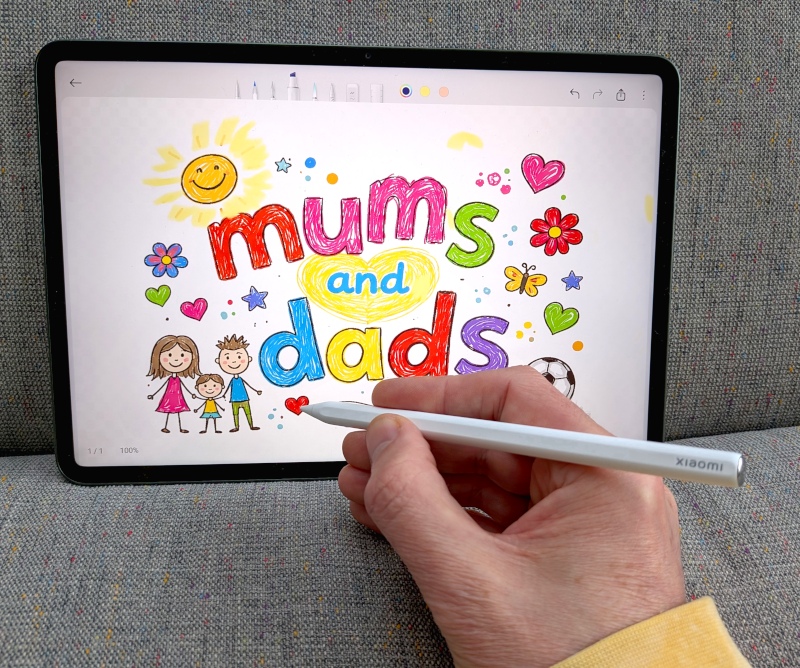
The Focus Pen Pro accessory felt ergonomically balanced, with a sleek barrel that rested comfortably in my hand when writing, sketching, or navigating on the tablet. I’m not generally a fan of drawing on tablets and prefer the paper-like feeling you get with a Kindle Scribe or reMarkable device. That said, there are some advantages to drawing in colour on the Pad 8 Pro over our reMarkable Paper Pro, because I find the reMarkable’s colour lag so distracting and the colour palette rather limited compared to using Mi Canvas with the Xiaomi Pad 8 Pro. If I had to gift someone a dedicated drawing tablet or the Pad 8 Pro, I’d be tempted to go with the latter because of all the other functions available with a tablet over a dedicated drawing tablet.
Cameras and Software: Practical Tools for Everyday Use
I’m never particularly interested in taking images on a tablet, but the 50MP rear camera took good photographs and 4K video. These devices are never going to give DSLR quality, but benchmark tests show its camera to be superior to the iPad Air and Samsung S11, so it performs great for a tablet.
Anyone familiar with Android will feel right at home with the Pad 8 Pro, the interface is clean, easy to use and includes lots of helpful free software such as drawing software, A.I. speech recognition, A.I. translation and A.I. writing tools – which, I promise, I didn’t use to help me write this!
Verdict: Flagship Feel, Family-Friendly Price
At £449, the Xiaomi Pad 8 Pro is a premium-level tablet that’s several hundred pounds cheaper than the Samsung S11. It’s hard to think of anything you’d like to do on a tablet that you can’t do with the Xiaomi Pad 8 Pro. It’s already receiving rave reviews from tech websites, and in our family’s opinion, it’s a huge leap from any tablet we’ve ever used.