

Keeping Your Family’s Health Information Safe Online
In our increasingly connected world, managing your family’s life online has become second nature. We book holidays, order the weekly shop, and connect with friends and family, all through our devices. But when it comes to our health, the digital world can feel a bit more daunting.
How can we use the internet’s convenience for our family’s health needs while ensuring our most personal information stays private? This guide will help you understand and manage your family’s digital health privacy with confidence.
Understanding Digital Footprints
Every time you or a family member goes online, you leave behind a trail of data. We call this a digital footprint. It’s made up of the information you share and the data collected about your online activity, from the websites you visit and the social media posts you “like” to the information you fill out in online forms. This footprint can be either active or passive.
An active digital footprint includes data you intentionally share. Think about emails you send, comments you leave on a blog, or photos you upload to social media. A passive footprint, on the other hand, is data collected without you actively providing it. This happens when websites use cookies to track your activity or when apps gather information about your location.
For families, this means that everything from researching a child’s rash on a health forum to a teenager looking up information on a health app can contribute to your family’s overall digital footprint. Parents can also help children develop safer online habits by understanding the challenges of parenting in the digital technology age. Understanding that this trail exists is the first step toward managing it effectively.
Protecting Sensitive Information Online
Protecting your family’s personal data is crucial, especially when that data relates to health. Sensitive information can include anything from your GP’s name and your medical history to searches you make about symptoms or health conditions. It’s vital to apply good security habits to all your online activities to prevent this information from being unnecessarily exposed. There are several practical digital footprint protection strategies you can adopt right away.
Start with the basics:
- Use strong, unique passwords for every account. A password manager can help you create and store complex passwords without needing to memorise them all.
- Enable two-factor authentication (2FA) wherever possible. This adds an extra layer of security by requiring a second form of verification, like a code sent to your phone.
- Be cautious on public Wi-Fi. These networks may not be secure, so avoid accessing particularly sensitive accounts, such as online banking or health portals, unless you are confident the connection is secure.
This is particularly important when dealing with sensitive health topics. For example, if you or a family member needs to find reliable chlamydia and gonorrhoea testing information, you want to be sure you are doing so on a secure and private platform. Look for “https” in the website address, which shows that the connection between your browser and the website is encrypted, but remember that HTTPS alone does not mean a website is trustworthy. Check that you are using the genuine website of a reputable provider.
The Role of Privacy in Health Matters
Why is privacy so important when it comes to health? Unlike your favourite colour or the film you watched last night, your health information is deeply personal and can have real-world consequences if exposed. A breach of health data could lead to anything from targeted advertising for treatments you’ve researched to, in worst-case scenarios, discrimination or stigma.
For teenagers, privacy is especially significant. As they begin to take more responsibility for their own health, they need space to ask questions and seek information without feeling unnecessarily monitored. Whether they are looking up information about puberty, mental health, or sexual health, they deserve confidentiality. If they fear their searches will be monitored by parents or exposed online, they may avoid seeking important information altogether.
The rise of telehealth and online health services has made healthcare more accessible, but it also introduces new privacy considerations. When using a health app or having a virtual consultation, your data is being transmitted and stored digitally. It’s important to choose services from reputable providers who are transparent about how they handle your data and what security measures they have in place.
Secure and Discreet Health Choices
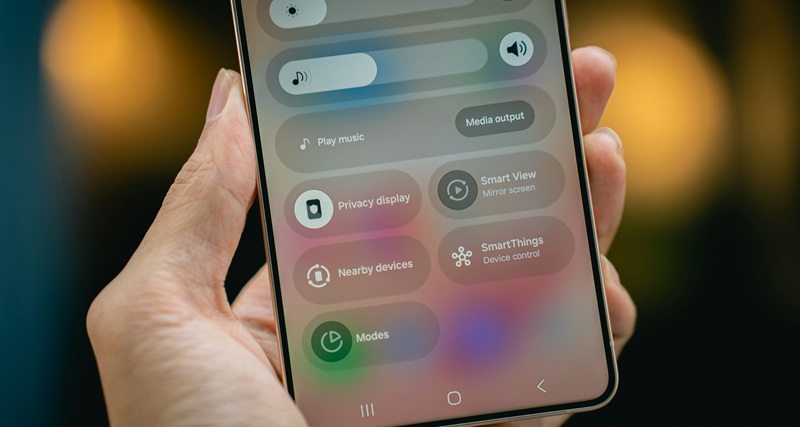
Making secure and discreet health choices means being a thoughtful and informed user of digital health services. It means taking the time to understand the privacy implications of the tools you use. Before downloading a new health app or signing up for an online service, take a moment to review its privacy policy. Look for clear language that explains what data is collected, how it is used, and with whom it is shared.
Here are a few ways to make more secure choices:
- Choose reputable providers: Stick with well-known and trusted health organisations, pharmacies, and telehealth services. Check that the service is genuine and look for independent reviews or relevant professional accreditation where appropriate.
- Use encrypted communication: When discussing health matters with family members via text, use an end-to-end encrypted messaging app like Signal or WhatsApp where appropriate. Remember that your messages may still be accessible if someone has access to your unlocked device or certain backups.
- Review app permissions: When you install a new app, it will ask for permissions to access data on your phone, such as your contacts, location, or microphone. Be critical and only grant permissions that are necessary for the app to function.
Ultimately, you should seek out services designed with discretion in mind. Some modern health solutions, like at-home testing kits, offer a way to get information about your health in a more private setting, giving you greater control over your information. Following best practices for digital security helps ensure your sensitive data remains protected.
Empowering Families with Knowledge
The most powerful tool for protecting your family’s online privacy is knowledge. Open and honest communication about digital safety should be a regular part of family life, just like conversations about road safety or healthy eating. The goal isn’t to scare your children away from the internet but to equip them with the skills to use it safely and responsibly.
Start these conversations early and make them age-appropriate. For younger children, you can use simple analogies to explain the concept of a digital footprint. For teenagers, the conversation can be more nuanced, focusing on their online reputation, privacy and the lasting nature of digital information. Discuss real-world scenarios and encourage them to think critically about what they share and with whom.
Leading by example is also incredibly important for protecting your family’s digital privacy. Let your children see you being mindful of your own privacy settings, using strong passwords, and thinking twice before sharing personal information online. Modelling good digital habits helps you create a family culture where online privacy is valued and respected by everyone.
Managing your family’s health in the digital age doesn’t have to be a source of anxiety. By understanding how your family’s digital footprint is created, taking a few simple precautions and keeping communication open, you can enjoy the convenience of digital health services while making thoughtful choices about what information you share.